
Impact-Site-Verification: 4c371246-5b18-4327-a05c-5b3af1bd9c91
0
0,00  0 items

No products in the cart.

0
0,00  0 items

No products in the cart.

Quiz CSV Import Premium for Tutor LMS

Built for Tutor LMS
Technical information
Requirements
Versions

Bulk Import Quiz Questions into Tutor LMS from CSV & Excel

Stop copying quiz questions one by one.

Import hundreds or even thousands of multiple-choice questions into Tutor LMS in just a few clicks using CSV or Excel. Save hours of manual work while keeping your quizzes organized and error-free.

The Premium version adds XLSX import, visual mapping, previews, advanced question settings, duplicate checking.

Perfect for

    • Online Academies
    • Certification Bodies
    • Universities
    • Schools
    • Corporate Training
    • Coaches
    • Course Creators
    • Instructional Designers

Main features

Guided Course → Topic → Quiz workflow

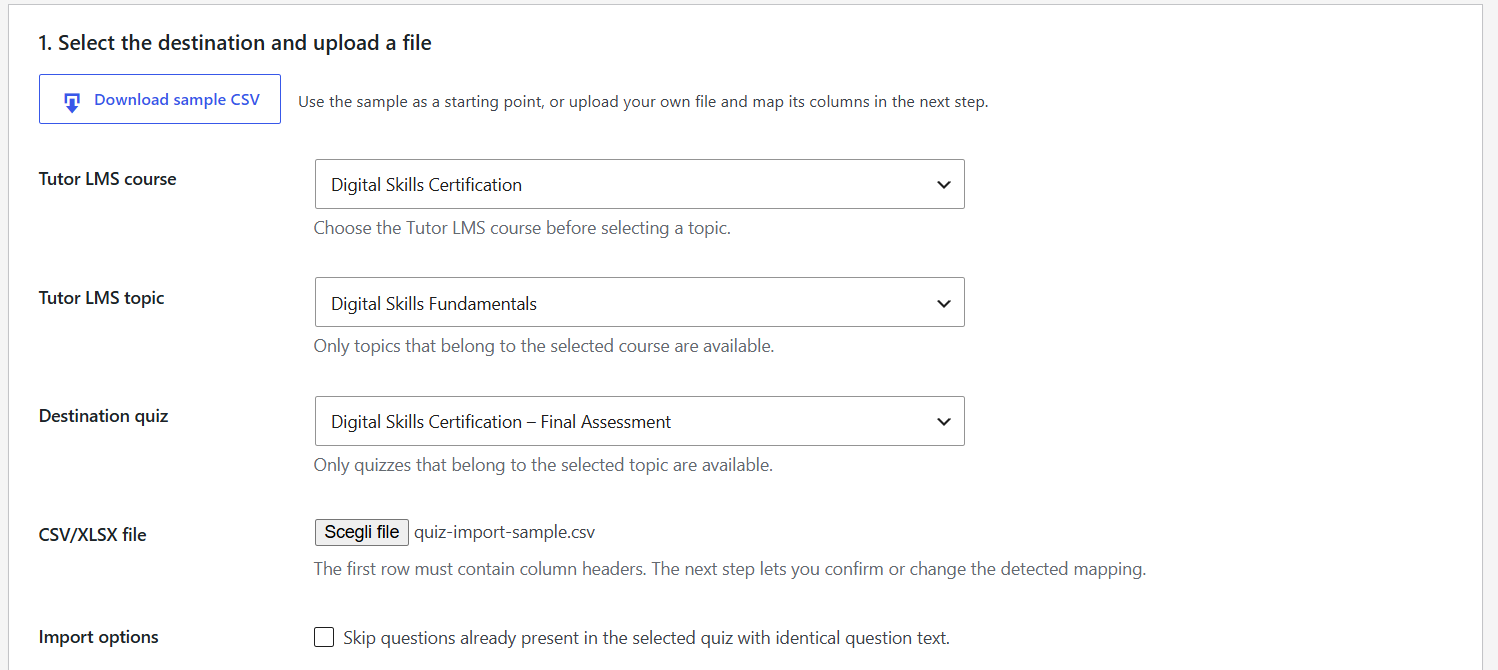
Easily choose the destination Course, Topic and Quiz through a guided workflow that prevents import mistakes. Import thousands of questions

Free version

✔ Unlimited CSV imports

✔ Unlimited questions

✔ Unlimited answers

✔ No import limits

Premium version

Everything in Free, plus:

✔ Excel XLSX support

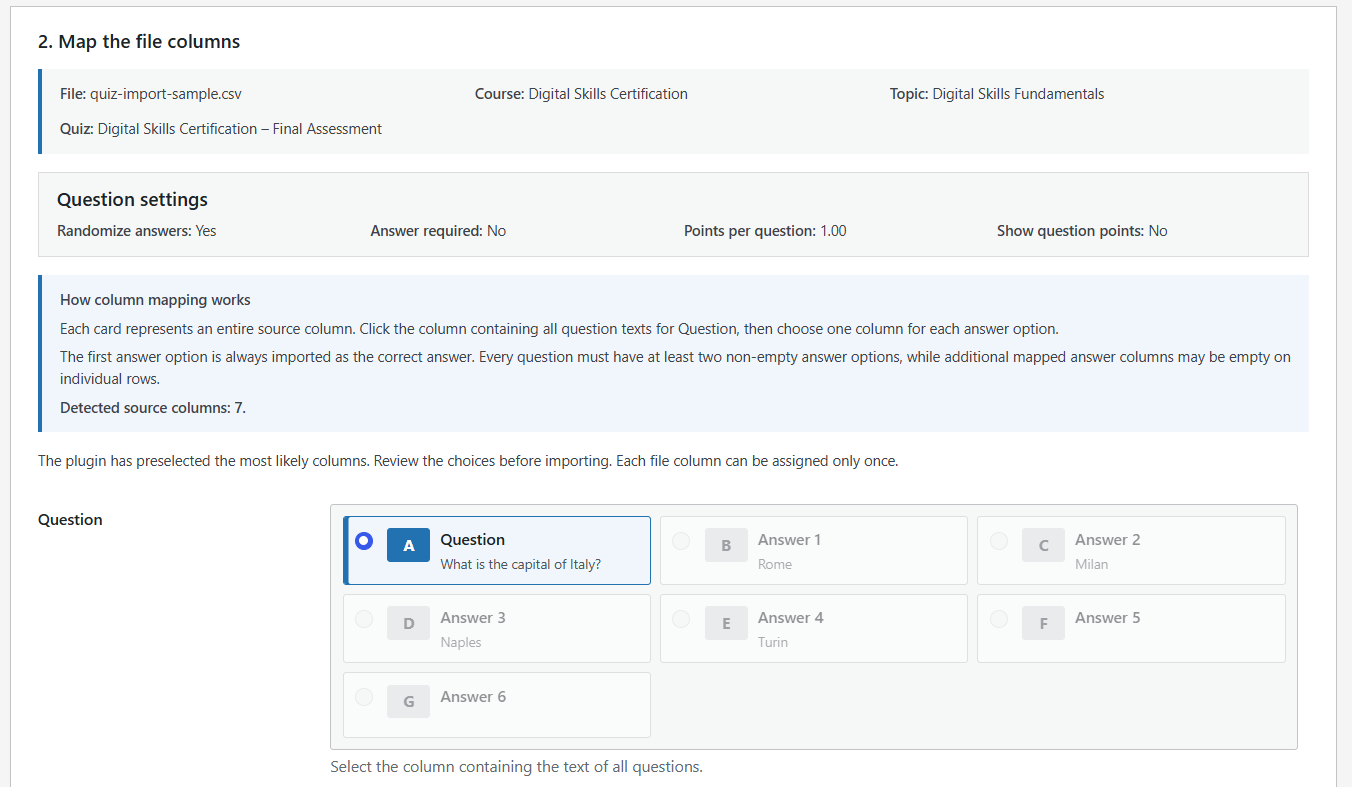
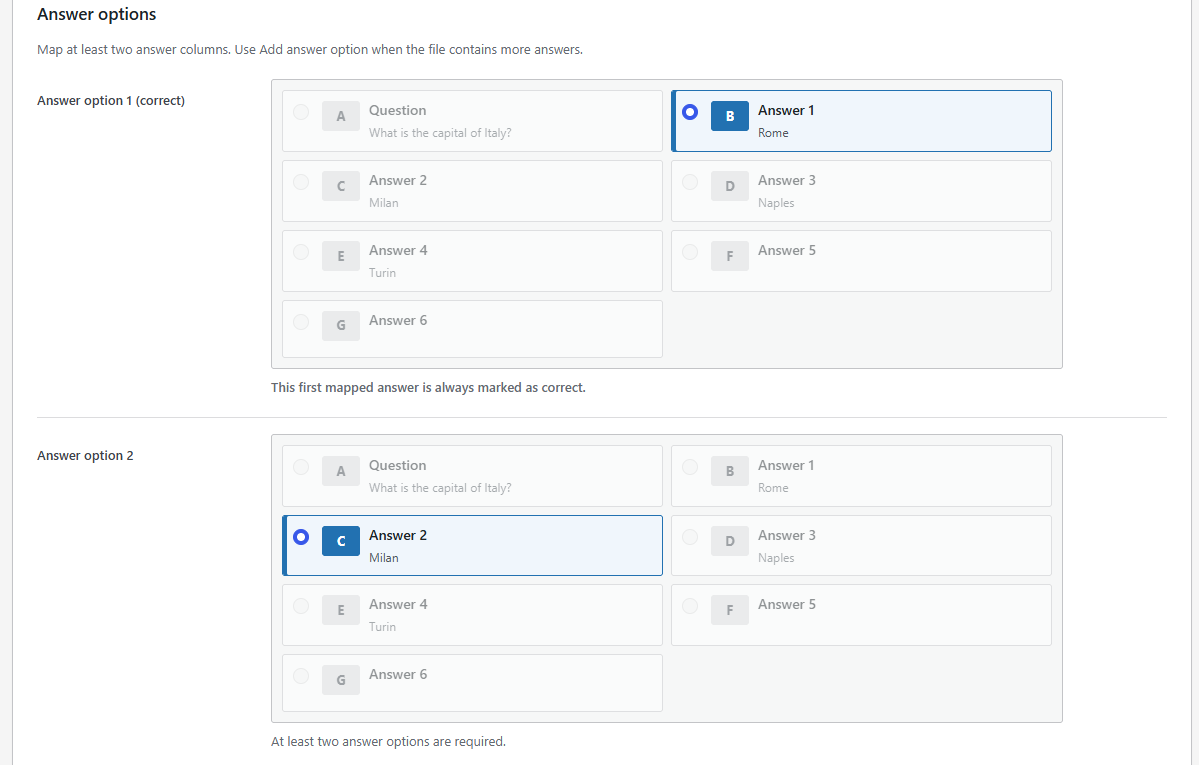
✔ Visual column mapping

✔ Import preview

✔ Duplicate detection

✔ Advanced Tutor LMS settings

✔ Updates

✔ License management

Downloadable sample CSV

A ready-to-use sample file is available from the plugin screen. 

Compatibility with common CSV formats

Quoted fields, delimiters inside text, and multiline content are supported. 

Visual mapping and preview

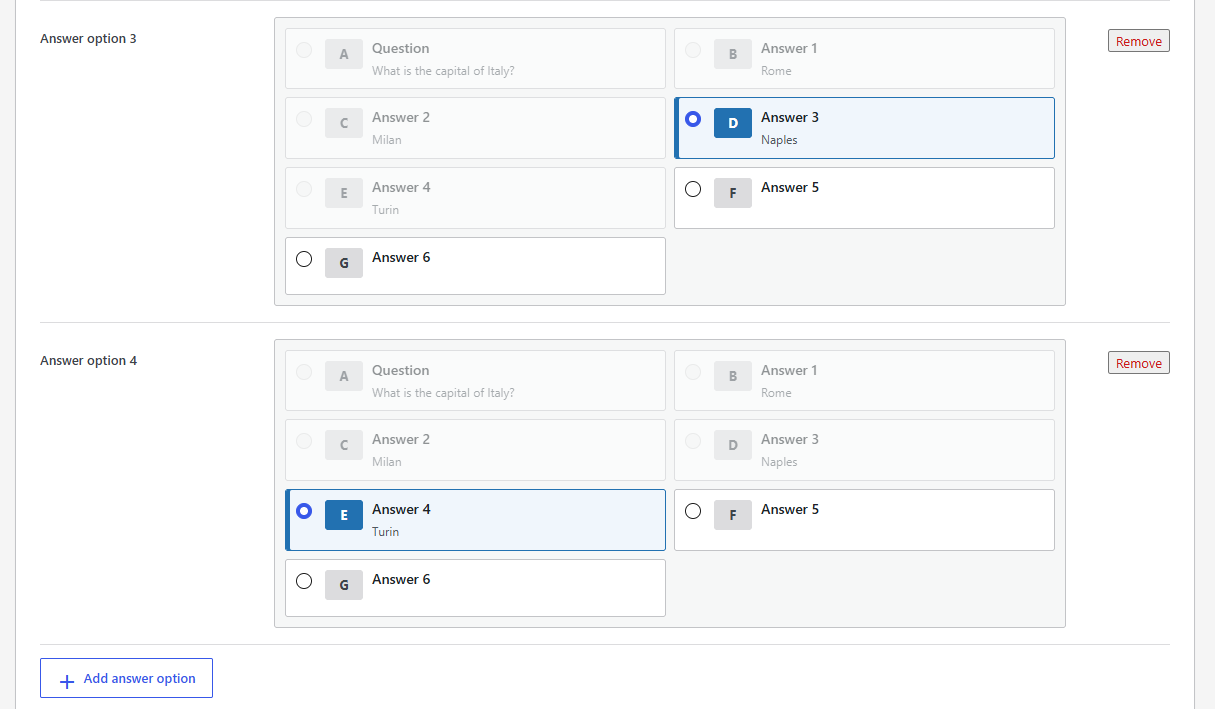
Premium displays the detected columns with their headers and sample values. The user maps the question column and all answer columns, can add or remove options, and reviews a preview before importing.

Advanced question settings

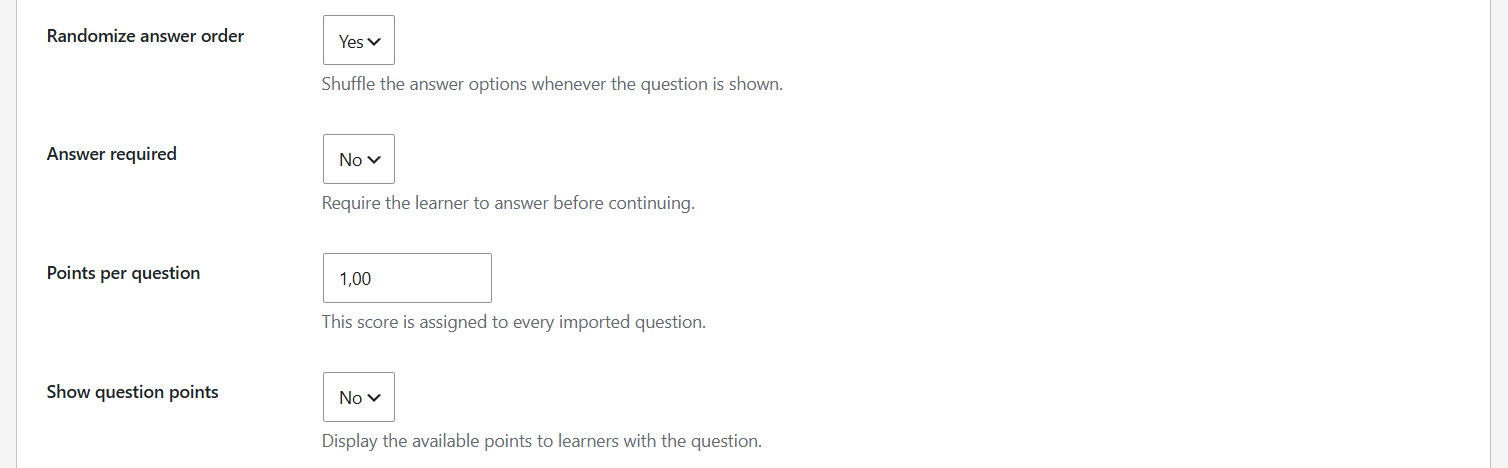
Premium can apply answer randomization, answer-required status, points per question, and point visibility to all questions included in an import.

Duplicate checking

Premium compares question text with questions already stored in the destination quiz and can skip exact duplicates.

Why Quiz Import?

✅ No manual copy & paste

✅ Save hours importing quizzes

✅ Works with existing Tutor LMS quizzes

✅ No coding required

✅ Unlimited questions

✅ Designed specifically for Tutor LMS

Start importing quiz questions in minutes.

Download the Free version today and upgrade to Premium whenever you need Excel import, visual mapping and advanced automation.
Requirements

  • WordPress 6.2 or later
  • PHP 7.4 or later
  • Tutor LMS installed and active
  • For Premium: the free MC QuizPort plugin installed and active

Installation

  1. Install and activate MC QuizPort for Tutor LMS.
  2. Make sure Tutor LMS is active and that a course, topic, and quiz already exist.
  3. Open the MC QuizPort menu in the WordPress dashboard.
  4. Download the sample CSV and prepare the file with Question and sequential Answer 1 … Answer N columns.
  5. Select the destination course, topic, and quiz.
  6. Upload the file and start the import.
  7. For advanced workflows, install the separate Premium add-on, activate the license, and use visual mapping.

Basic vs Premium

feauture

basic

premium

CSV import
Course → Topic → Quiz selection
Downloadable sample CSV
Flexible Answer 1 … Answer N columns
Delimiter detection and multiline fields
Existing quiz questions remain unchanged
XLSX import
-
Arbitrary source headers and column order
-
Visual column mapping
-
Preview before import
-
Configurable question settings
-
Exact duplicate checking
-
Protected automatic updates
-
Premium support
-

Quiz import for Tutor LMS quick features

Tutor LMS Quiz Import / Import Questions Tutor LMS / CSV Import Tutor LMS /Excel Import Tutor LMS / Tutor LMS Question Bank / Bulk Quiz Import / Multiple Choice Import / Tutor LMS CSV / Tutor LMS XLSX / Tutor LMS Question Import


Download free basic version
Copyright © Internet a Modo (Italy) | info@internetamodo.it