
49,00 €
Tutor LMS is excellent for delivering courses and quizzes—but real examination processes require much more.
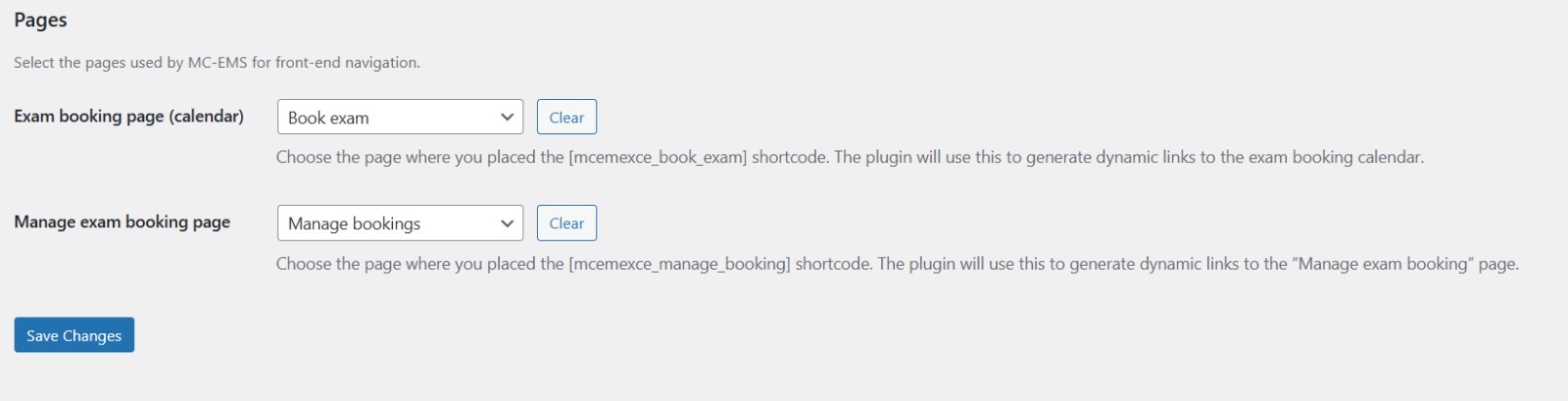
Exam Center for Tutor LMS fills this gap by adding everything needed to organize scheduled exams:
No external booking software.
No spreadsheets.
No manual administration.
Whether you manage ten candidates or several thousand, Exam Center helps you organize structured examination workflows inside Tutor LMS.
Ideal for
Save Administrative Time
Automate candidate registrations, booking validation, session management and attendance.
Offer a Professional Booking Experience
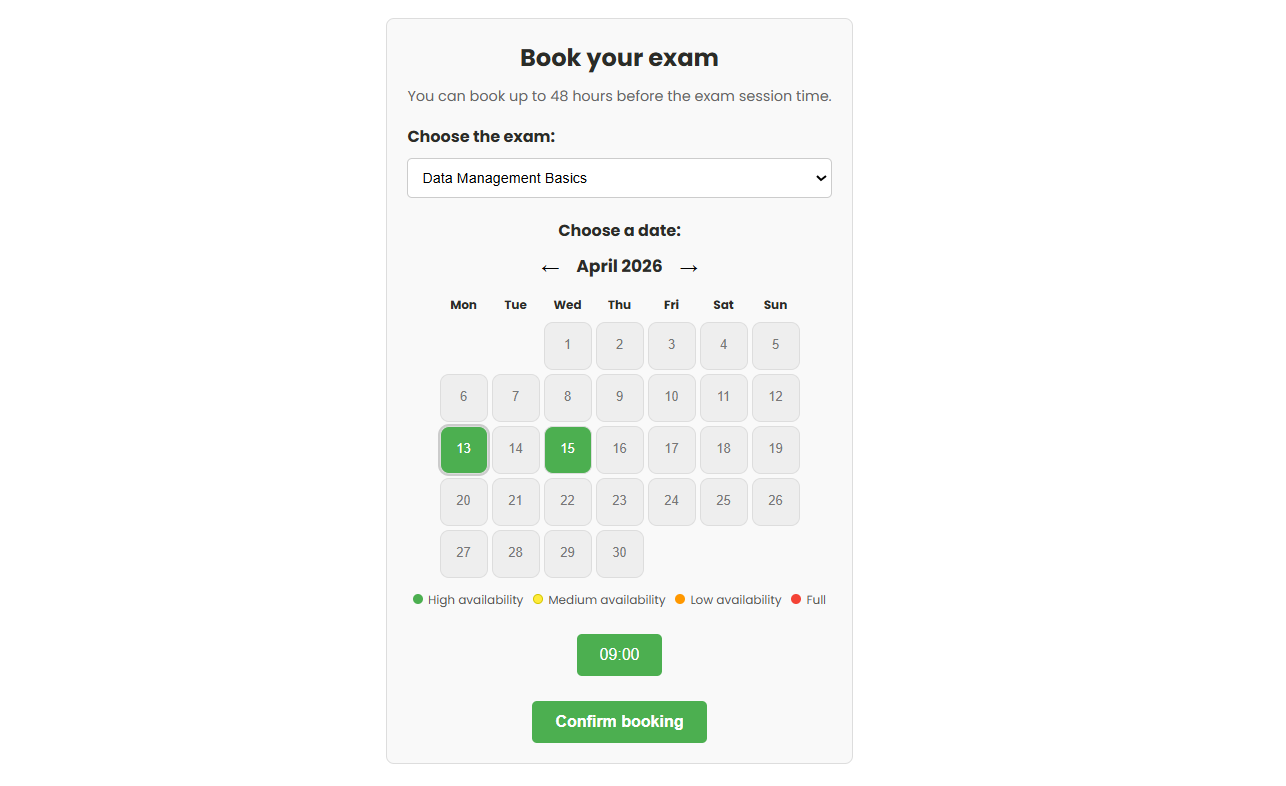
Students book available exam dates through an intuitive calendar instead of contacting administrators by email.
Protect Your Exams
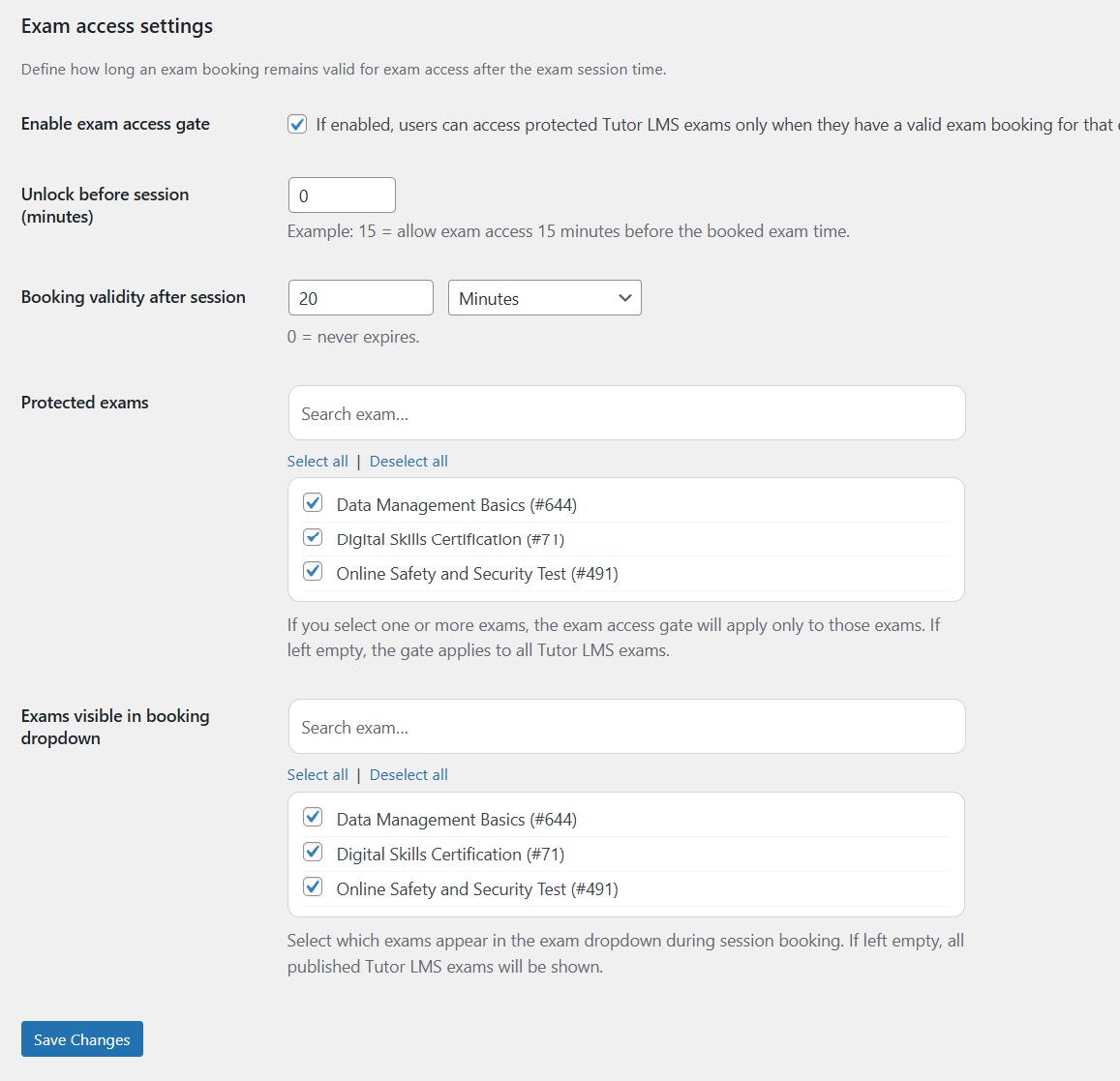
Only candidates with a valid reservation can access protected Tutor LMS exams.
No manual verification required.
Organize Every Exam Session
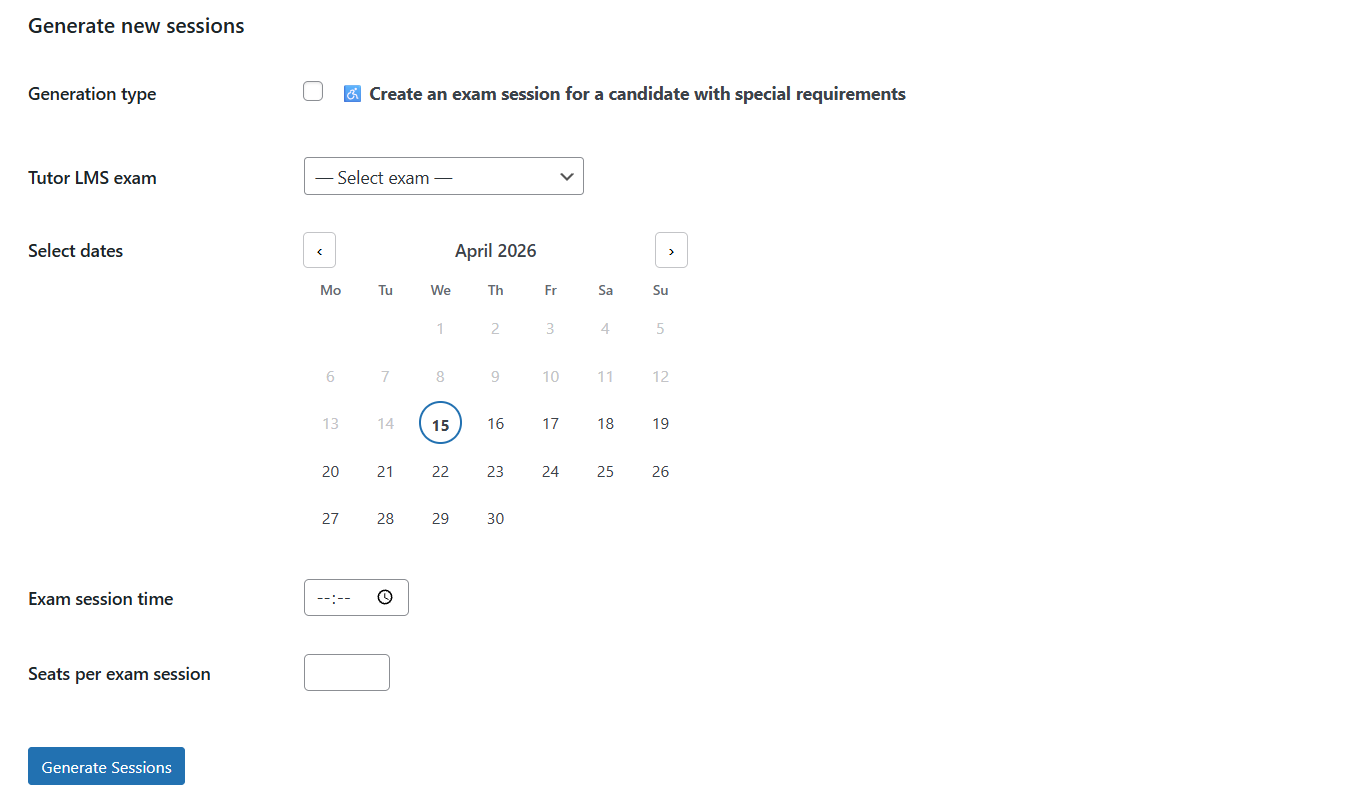
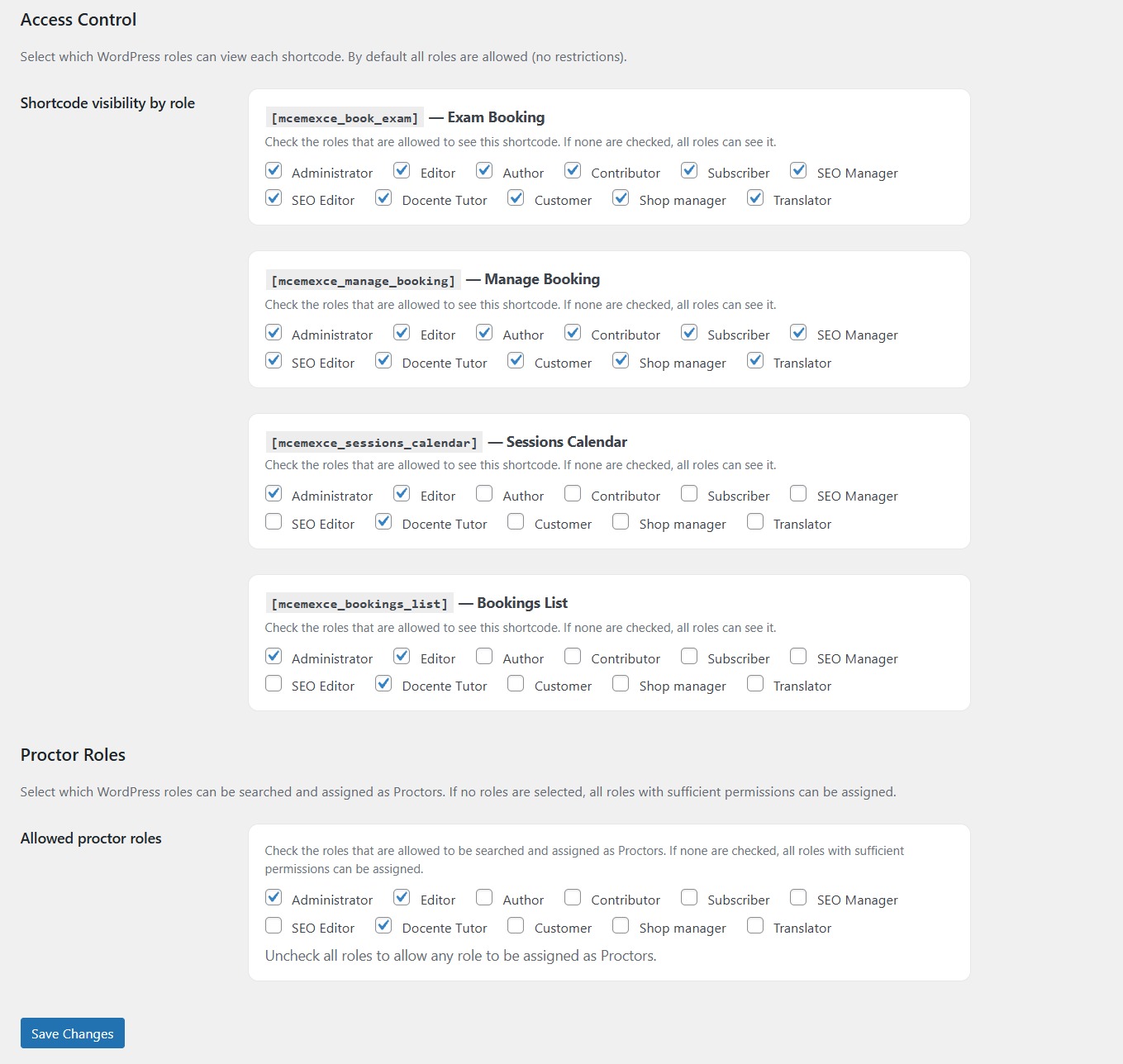
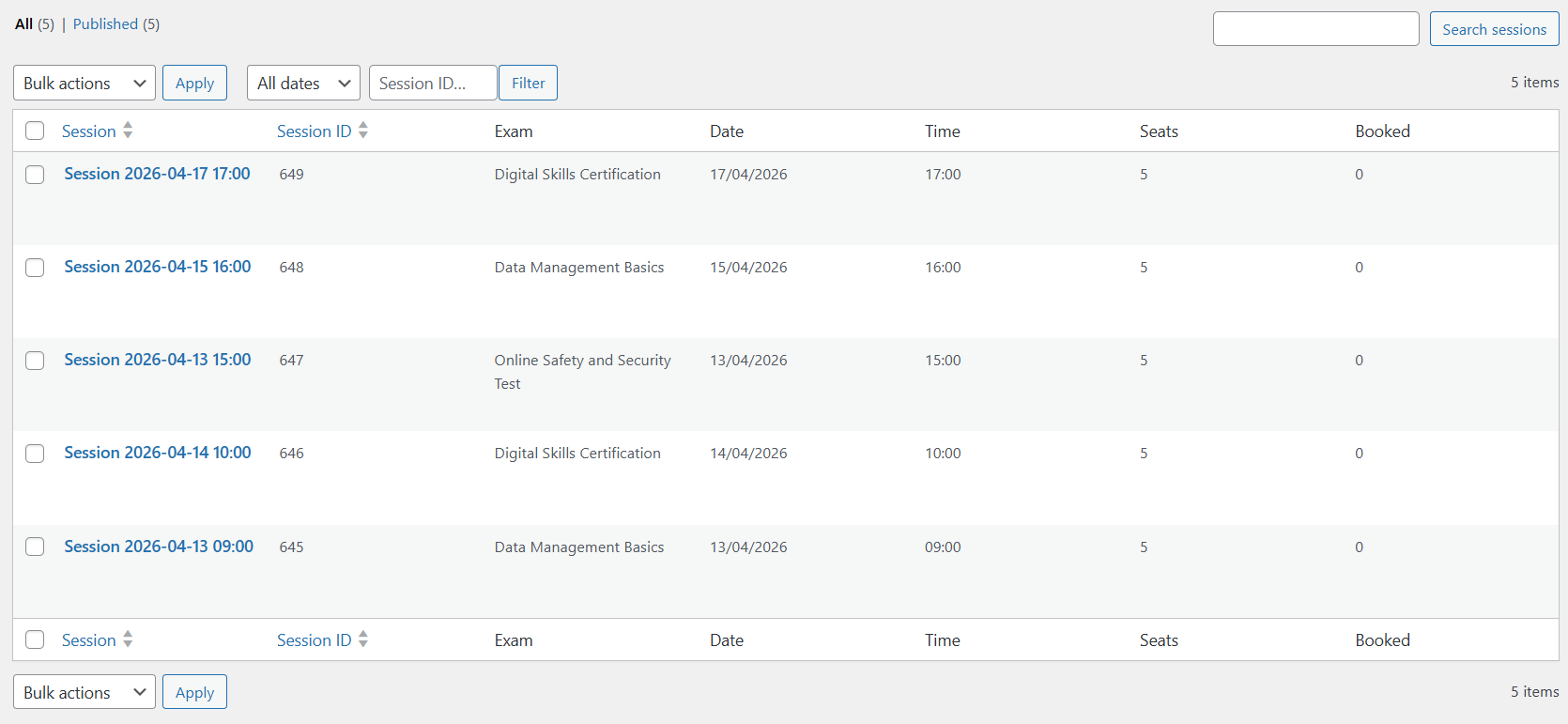
Create multiple sessions with different dates, capacities and assigned proctors while keeping complete control from your WordPress dashboard.
Export Everything
Generate CSV reports containing bookings, candidates, assigned proctors and session information for further processing.
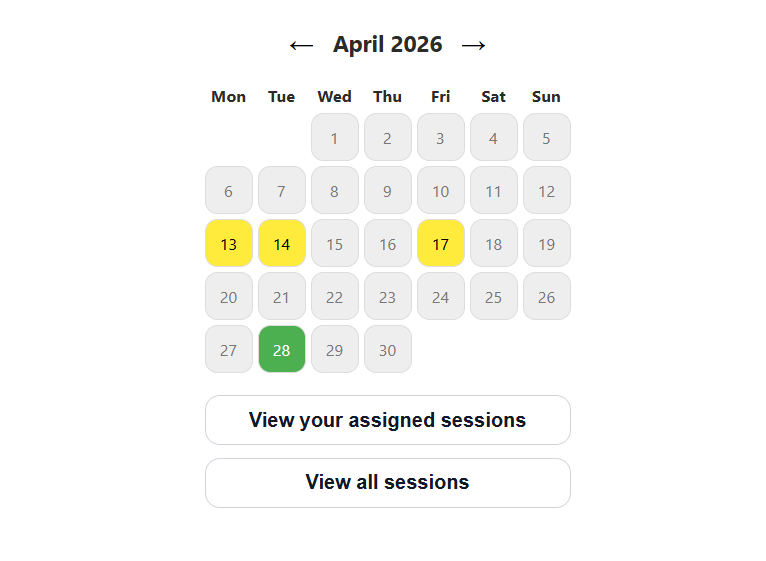
Students can book an exam session through an interactive calendar that shows all available sessions filtered by date.
Exam Session Management
Create unlimited scheduled sessions with:
Online Booking Calendar
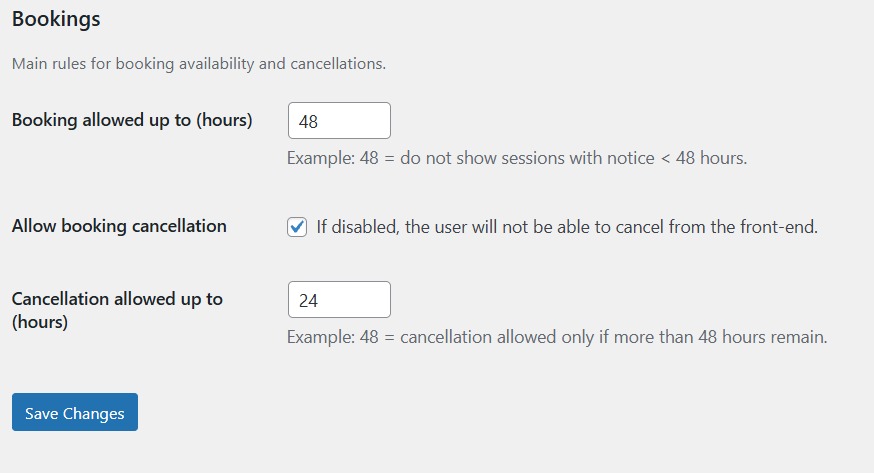
Allow students to browse available sessions and reserve their preferred exam date in just a few clicks.
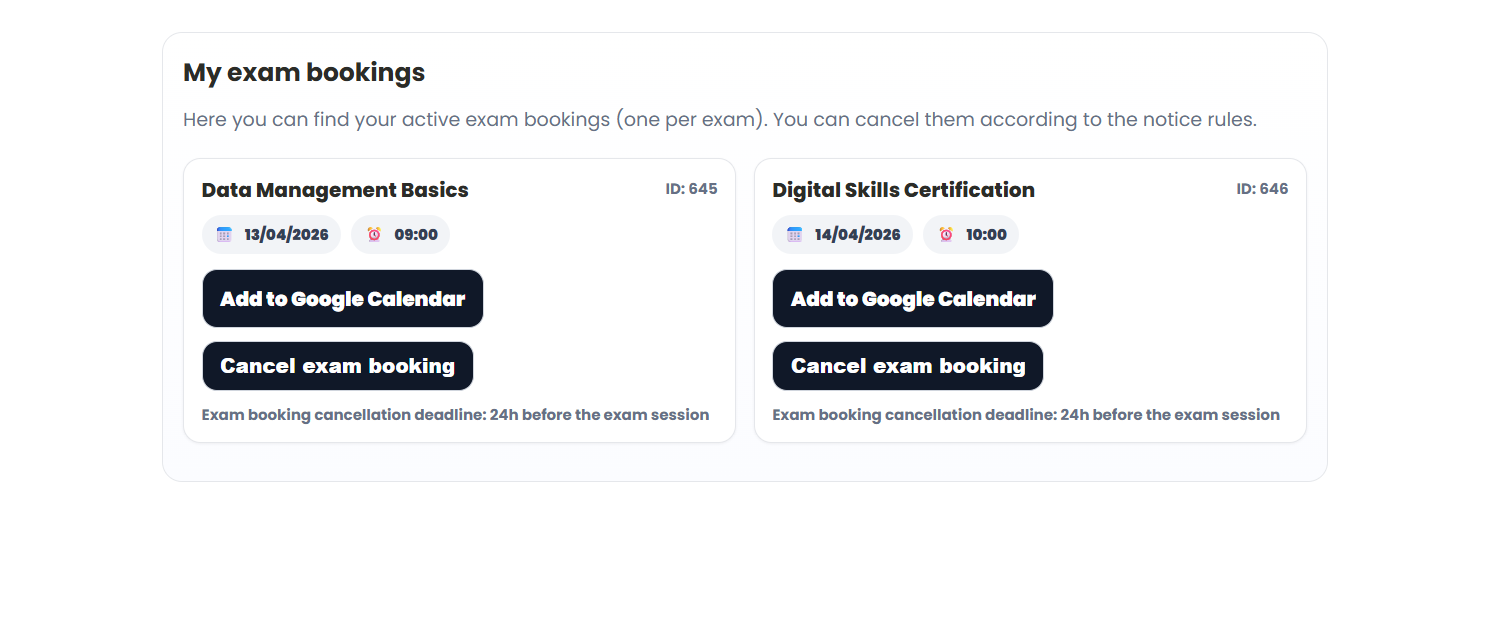
Candidate Self-Service
Students can
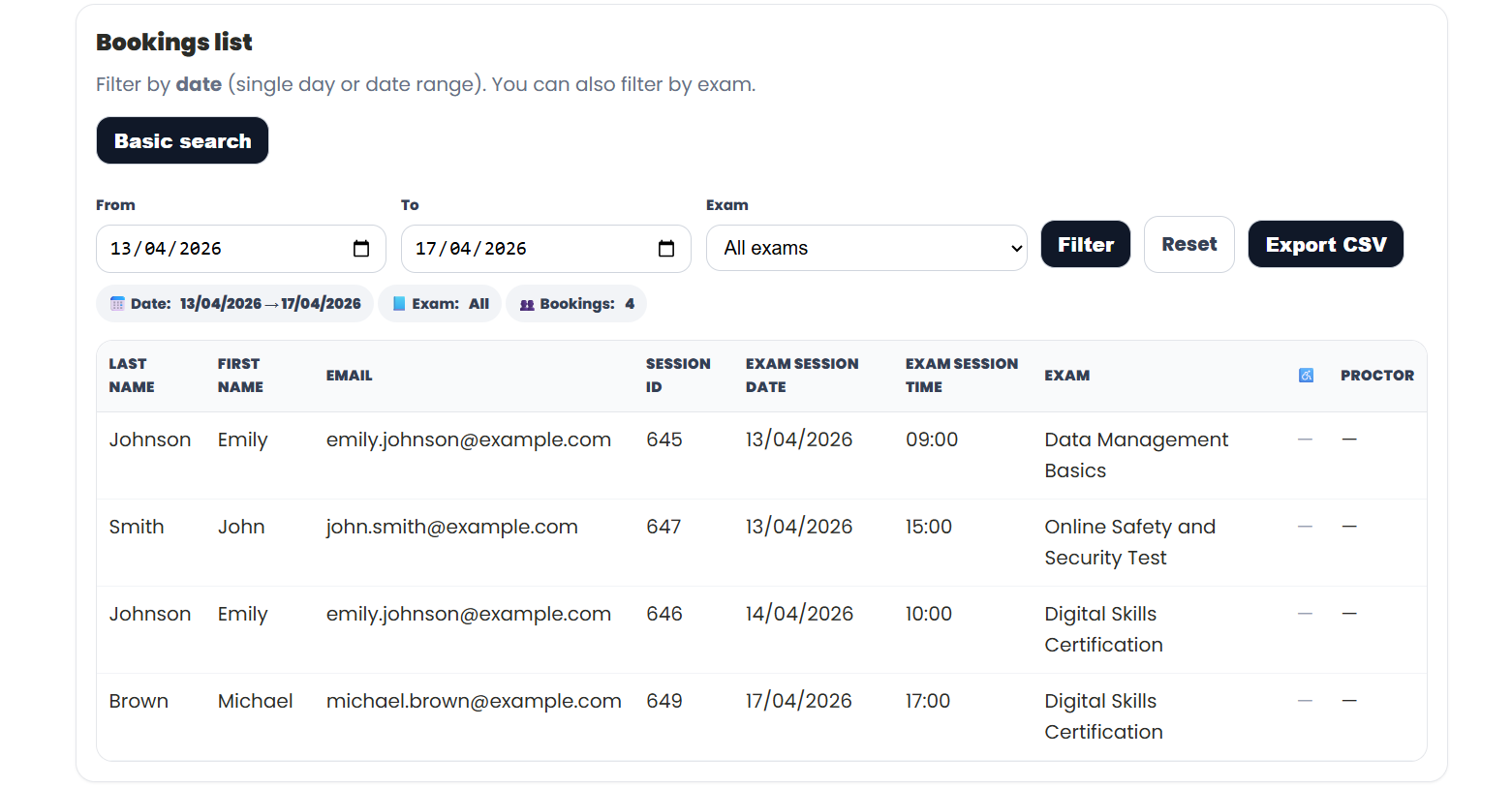
Administrative Dashboard
Manage all bookings from a centralized interface.
Search by
Export everything to CSV.
Smart Access Control
Exam Center integrates directly with Tutor LMS.
If a student has no valid booking:
✔ Exam locked
✔ Hidden content
✔ Booking instructions displayed
Once the reservation becomes valid, access is granted automatically.
This transforms Tutor LMS into a secure examination platform rather than a simple course platform.
Free
Perfect to get started.
with reasonable limits for small organizations.
Premium
Designed for professional institutions.
Everything in Free plus:
Ideal for certification providers and large training organizations.
Exam Center works perfectly together with Quiz CSV Import for Tutor LMS.
Together they create a complete examination ecosystem.
Quiz CSV Import
→ Build question banks from CSV or Excel.
↓
Tutor LMS
→ Deliver courses and quizzes.
↓
Exam Center
→ Schedule sessions, manage bookings, assign proctors and control exam access.
From question creation to candidate management, the Mamba Coding Suite provides everything you need to run professional examinations on WordPress.
✔ Native WordPress integration
✔ Built specifically for Tutor LMS
✔ No coding required
✔ Fast installation
✔ Secure access control
✔ Scalable from small academies to certification providers
✔ Continuous updates
✔ Dedicated support